PE-32 & ELF-32 disassembler with graphical editor.
Version 0.1.2a
GPL v3 or later
Systems requirements:
Disassembler: ОС Linux, x86
Editor: Java 1.6 or later
Supported files PE and ELF architecture x86 (only 32 bit)
Purpose:
The package is designed for disassembly of executable files and their code in the form of block diagram. The resulting flow diagram can be edited and saved as a file assembler
Description:
Contains 3 modules:
dissector - unpacker / analyzer structure of the file. Prepares file for disassembly. Shares file into sections (section unpacks and resources for PE), records information about the Section and address of entry point to a file cfg.bin, download disassembler. Information about the imported function is written to a file idata.bin, and on exports - in edata.bin. The file is unpacked in a directory with the file name, with the addition of suffix "_dissected", there are stored the configuration files. You can specify the output directory to force the key-d. Log unpacker is recorded in the file report.txt.
disasm - Disassembler. Downloads section under configuration file, and performs the disassembly, starting from the entry point. Add 2 files in a directory with the unpacked file: listing.txt, which contains the disassemble code, log.txt, where the log is written in: disassemble commands in order of their processing, information about errors, etc. At the end of log.txt written information about the starting address and length of sequences of commands. You can add the addresses of commands, as well as prohibit the conversion to a specific address, using the file addr.txt, where to write the string "+ 0xHHHHHHHH" and "- 0xHHHHHHHH" respectively. Number of rows is not limited. If you need to decompile added addresses were made after the principal, the address line, insert the command "go". The number of such teams is also not limited. As a result, when meeting each team will continue to go disassembler disassembly for newly added addresses.
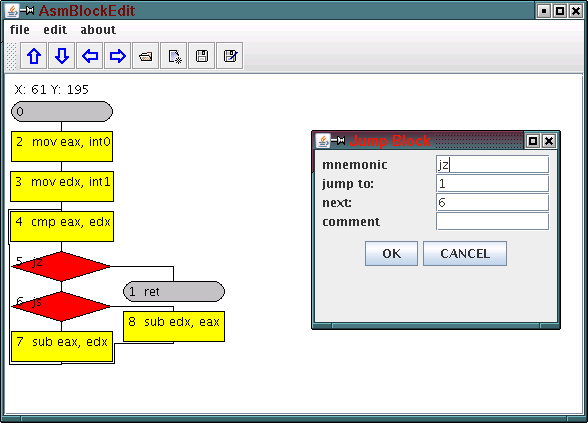
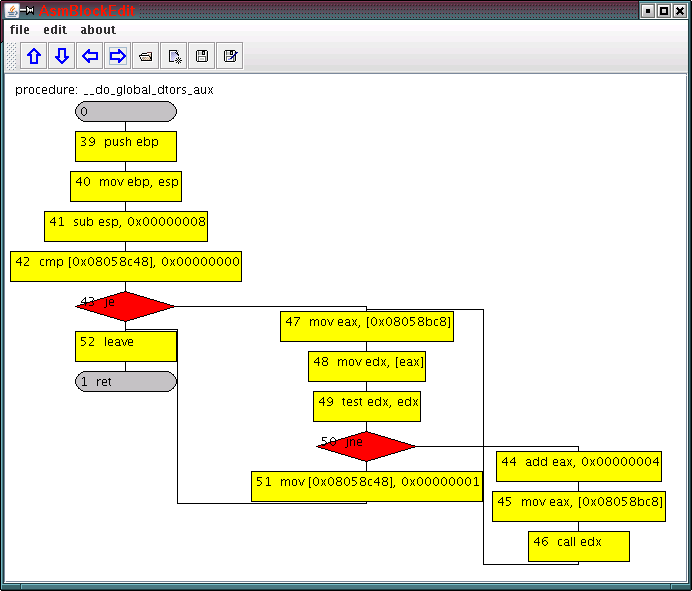
AsmBlockEdit - graphical editor for asm files. Load the file to assembly language, and displays the procedure in the form of block diagram.
commands condition shown in a block of branching red commands ret and jmp content registers - blocks the completion of gray, the other command - the blocks are yellow.
Every block diagram has a beginning, a special display unit 0, and 0 or more exits.
The resulting diagrams can be edited and saved as a file assembler.
block diagram can be saved in PNG file
When you load the editor results in disassembly occurs analysis code with the aim of recognizing sequences of commands and procedures for finding the boundaries. In this procedure, with transitions from its code discarded as incorrect, as a message to System.err. This problem will be solved in the next version.
Usage:
dissector sample.exe

disasm sample.exe_dissected
Open in AsmBlockEdit file sample.exe_dissected/listing.txt
dissector & disasm in odasm.tar.bz2 (sources) odasm_bin.tar.bz2 (bin)
AsmBlockEdit in AsmBlockEdit.tar.bz2 (sources) & AsmBlockEdit.jar (bin)
Screenshots:
Panel block diagram:

Panel procedures
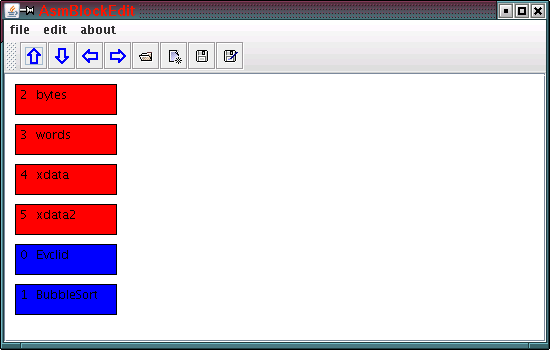
Red identifies blocks of data, in blue - procedures:
Menu editing commands :